


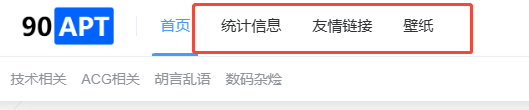
具体表现为,主题 独立页面点击不跳转对应页面
网站错误日志为
2026/01/30 15:08:04 [error] 15#15: *929717 FastCGI sent in stderr: "PHP message: PHP Notice: Undefined index: permalink in /www/sites/90apt.com/index/usr/themes/Joe/public/header.php on line 87PHP message: PHP Notice: Undefined index: permalink in /www/sites/90apt.com/index/usr/themes/Joe/public/header.php on line 87PHP message: PHP Notice: Undefined index: permalink in /www/sites/90apt.com/index/usr/themes/Joe/public/header.php on line 87PHP message: PHP Notice: Undefined index: permalink in /www/sites/90apt.com/index/usr/themes/Joe/public/header.php on line 394PHP message: PHP Notice: Undefined index: permalink in /www/sites/90apt.com/index/usr/themes/Joe/public/header.php on line 394PHP message: PHP Notice: Undefined index: permalink in /www/sites/90apt.com/index/usr/themes/Joe/public/header.php on line 394" while reading response header from upstream, client: x.x.x.x, server: 90apt.com, request: "GET / HTTP/1.1", upstream: "fastcgi://127.0.0.1:9000", host: "90apt.com"
搜索引擎检索故障原因为
已知在早期版本的Typecho中,开发者经常使用以下代码片段来获取文章数据并提取永久链接:
$v = Typecho\Widget::widget('Widget_Abstract_Contents')->push($v);
$permalink = $v['permalink'];
然而,在1.3.0版本中,这种方法不再有效。这是因为Typecho团队从未正式推荐过这种获取内容的方式,它实际上是一种未被官方支持的实现方法。
正确的解决方案
Typecho官方推荐使用Helper::widgetById()方法来获取文章内容和链接。这是一个更加规范、可靠的方式,也是Typecho框架设计时预期的使用方法。
推荐实现方法
$post = Helper::widgetById('Contents', $cid);
$permalink = $post->permalink;
$title = $post->title;
这种方法不仅能够正确获取文章的永久链接,还能访问文章的其他所有属性,是Typecho框架中处理文章数据的标准方式。
AI修复BUG
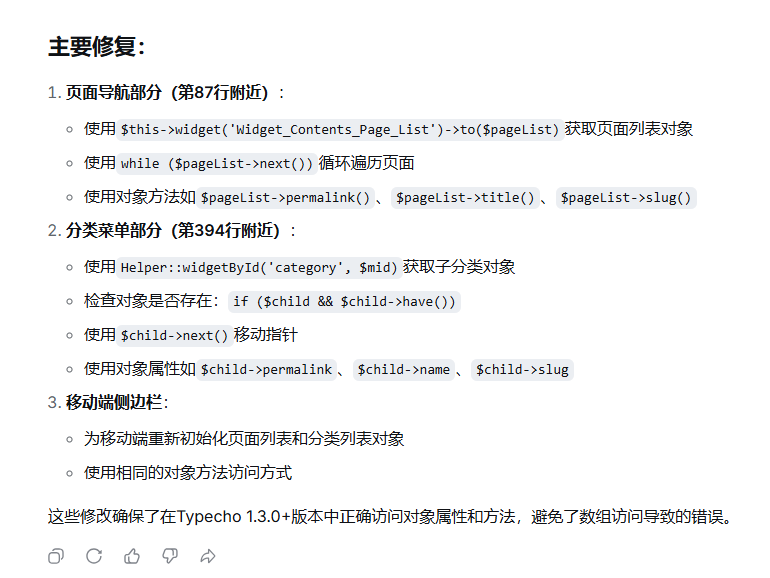
将 故障原因、错误日志、Joe/public/header.php文件,一起上传给AI,要求AI直接返回修复后的完整文件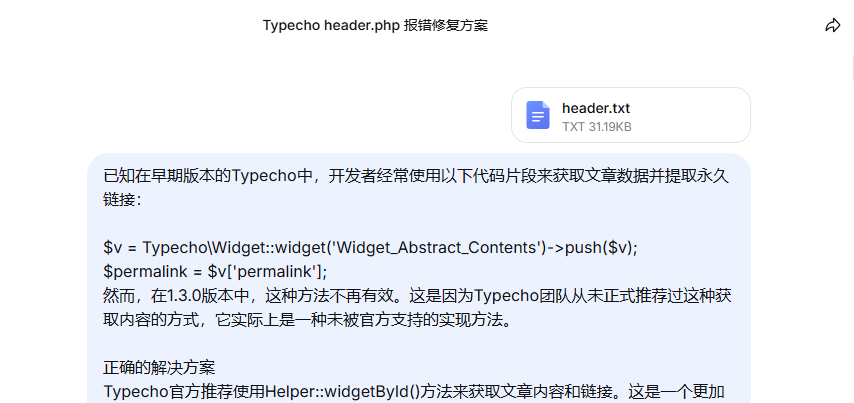
评论